

When it comes to generating high-quality leads, Facebook isn’t the crowd’s favorite. It’s notorious for having low-quality leads, thanks (in part) to how easy they make it for its users to submit leads. Plus, as a top-of-funnel platform, your ads are showing to lower-intent users, especially when compared to your PPC efforts.
Does that mean you should ditch the platform altogether? No. It’s still absolutely possible to generate high-intent, high-converting Facebook ad leads. And in this blog, I’ll tell you exactly how.
Are Facebook lead ads worth it?
This is the million-dollar question. Does your business even need to gather leads, or are you better-off running a conversion-goal campaign instead? Here’s a little checklist to help you find out if your business should launch a Facebook lead ad campaign.
- You’re a service-based business, such as a hairdresser, a dentist, or a lawyer.
- You’re a SaaS product, and most of your clients want a demo before buying.
- You’re already gathering leads on Google Ads through PPC
- Google Ads is too competitive for you, and the cost-per-clicks are too high.
If you answered yes to any of these questions, then it’s worth giving Facebook a shot at helping you gather high-quality leads. If you’re now realizing that you’re running a lower ticket eCommerce store and none of this applies to you, here’s an article about Facebook targeting, a must-read for any eCommerce store running ads on the platform.
How to gather Facebook ad leads
There are a few different ways to generate Facebook ad leads on the platform, so you can test each method and see what works best for your brand. Then, you can focus on scaling with creative iterations and audience targeting.
Here are my three favorite ad formats to use:
- Messenger leads
- Landing page leads
- Lead forms
Before we jump into each method, here’s how you create a Facebook ad leads campaign:
First, you click the green create button at the campaign level of your ads manager.

Then, you click the “Leads” campaign objective.
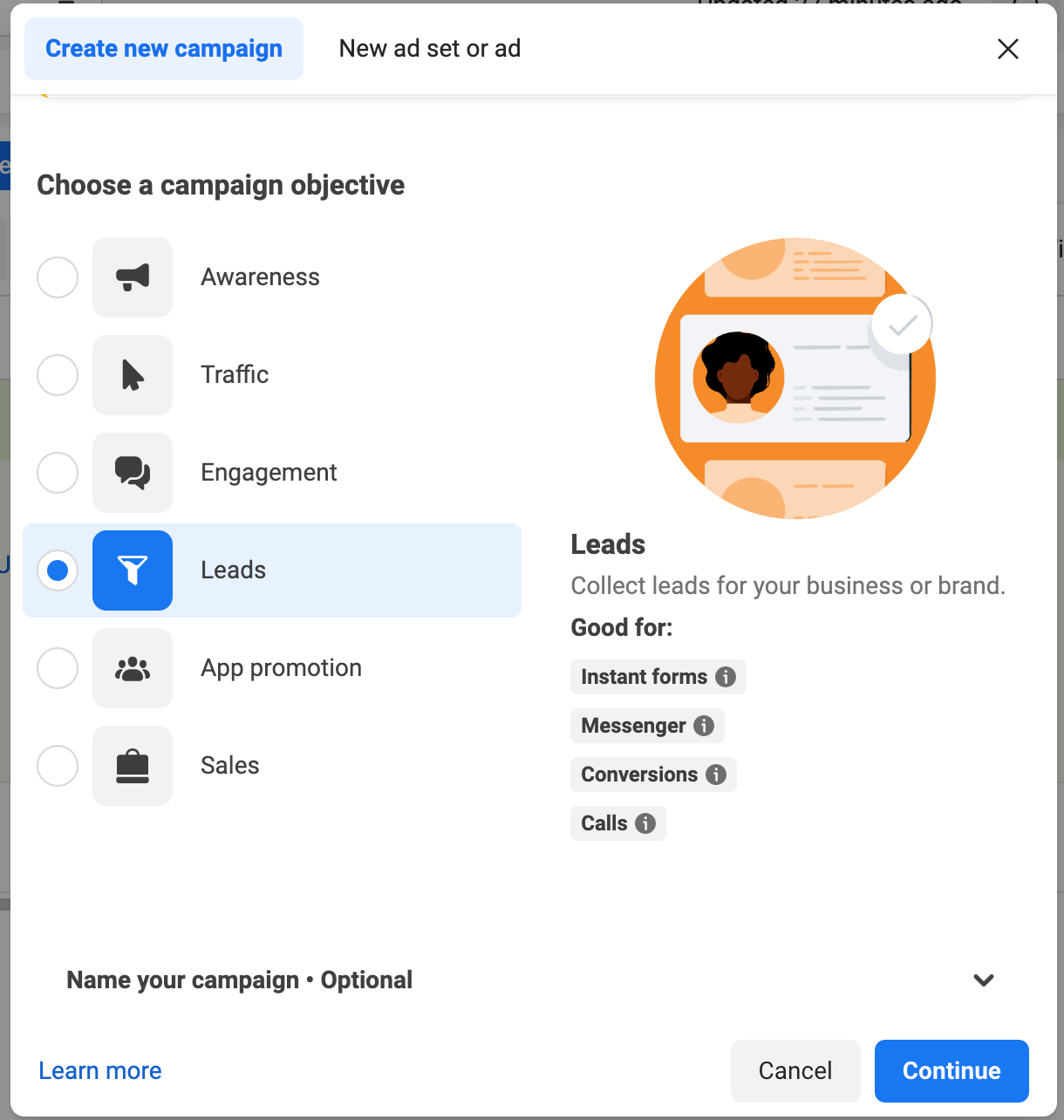
Now, let’s dive into each strategy.
Messenger leads
Messenger lead conversions are conversions ads where the CTA pushes customers to start a chat on Messenger, where they’ll share their contact information with your business.The chat can also be accessed via your Facebook page.
Here’s how to set it up: once you select the leads campaign option, at the ad-set level, click “Messenger” as the conversion location. This is where your ads will be generating your Facebook ad leads.
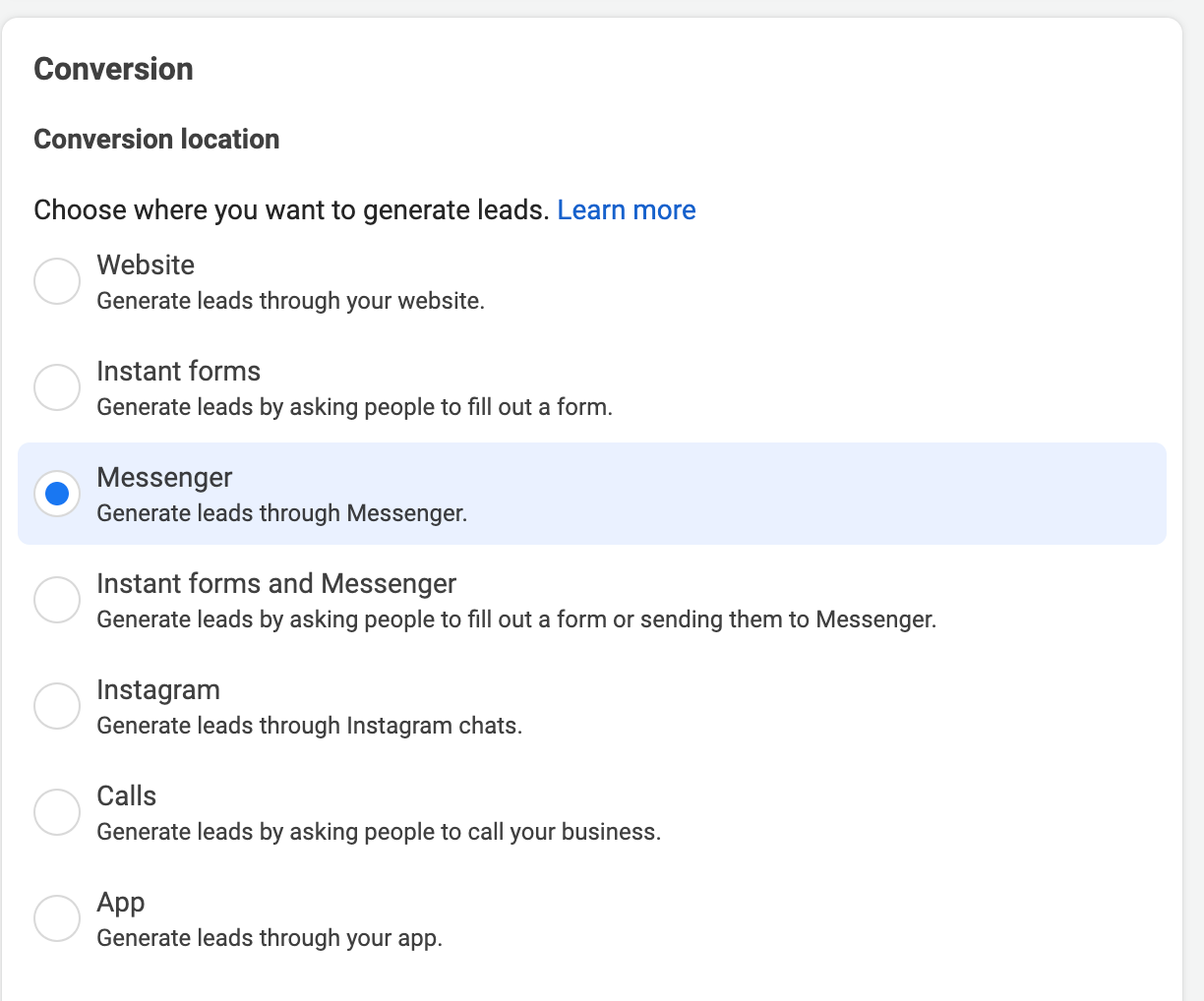
Then, at the ad level, create a new message template. This step is important to make sure that you get the questions that you need. For example, if you want to follow up the messenger conversation with a phone call, make sure to add a phone number as a question that your customers will see. That way you’re also removing the added friction from going back and forth in the chat box when a customer doesn’t give you all the information that you want.
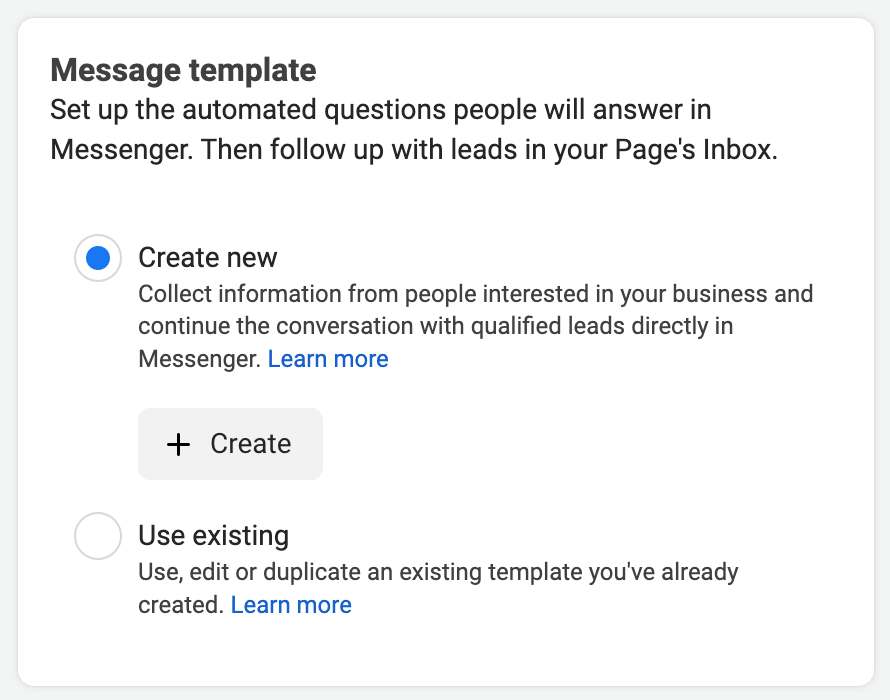
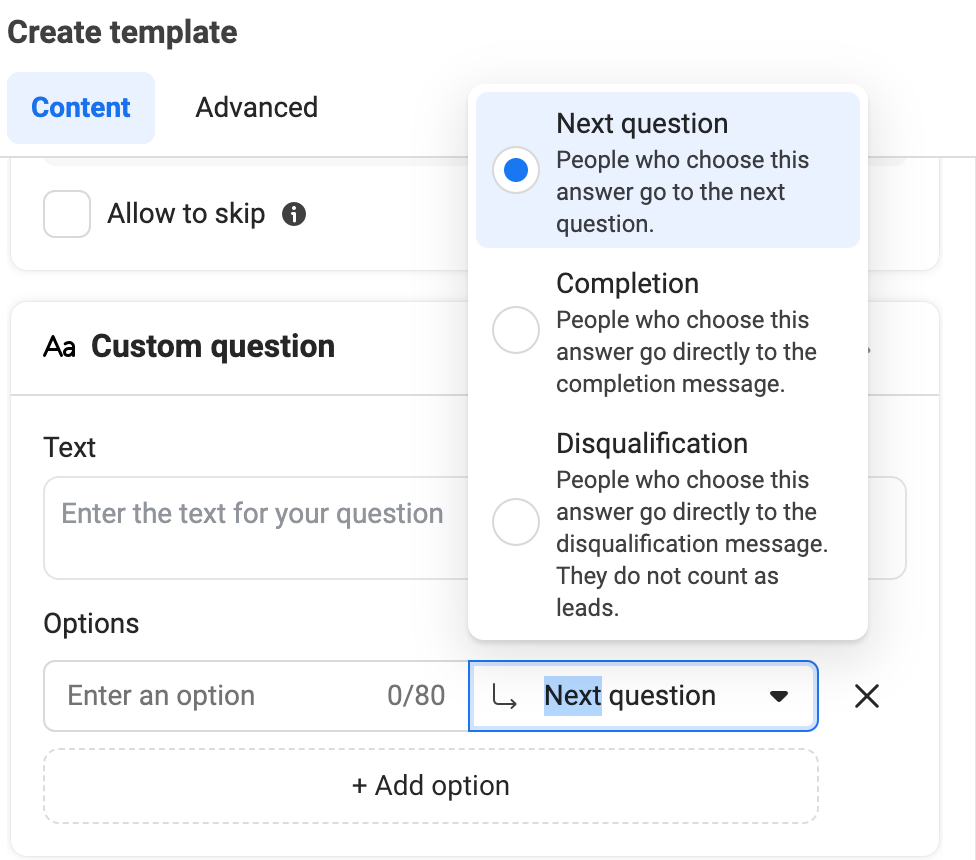
The best part about creating a message template is that you can automatically disqualify a lead that doesn’t meet your requirements. In the example below, the message template question asks if they’re interested in our services. If a customer says no, then they’re automatically removed as valid leads. If a customer says yes, then it’ll prompt the rest of the questions.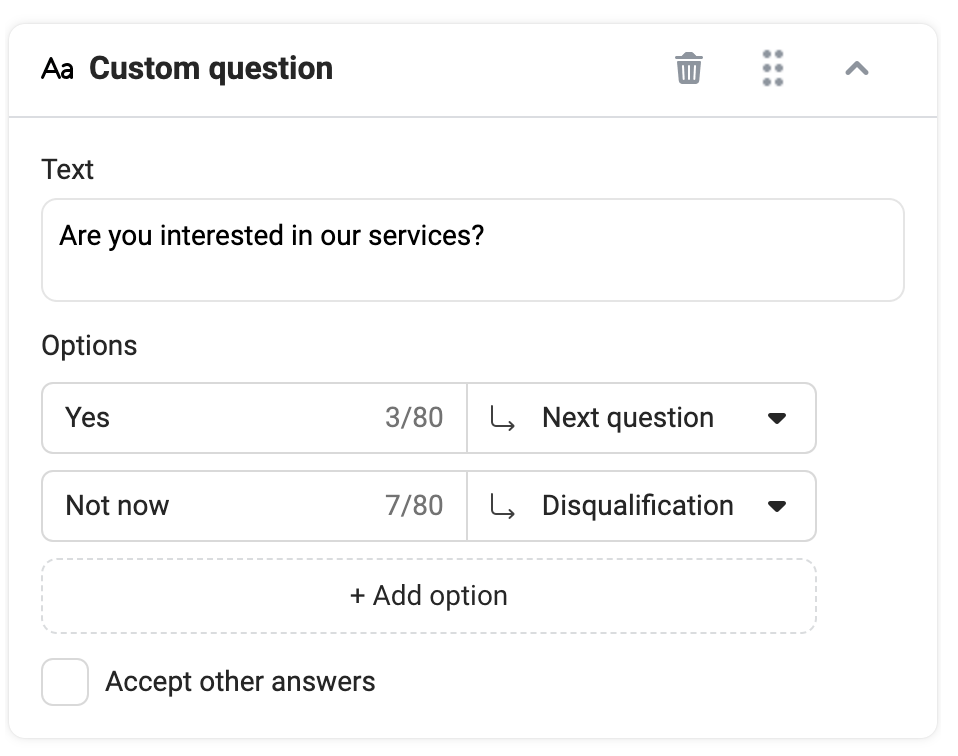
You can add qualifying questions throughout the chat journey, including when you ask for a phone number and an email address. Facebook uses the format that the customer gives you to determine whether or not the answer is valid. If not, then Facebook will prompt the question again for them to answer properly.
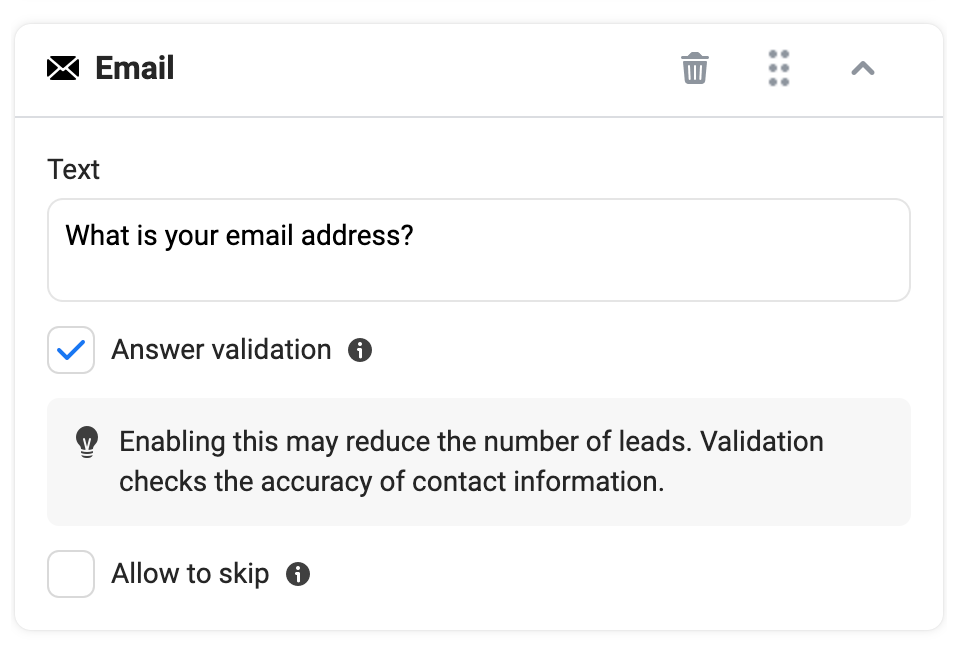
Aside from the list of questions that Meta already provides you for the message conversations, you can also create your custom message, where you can add options, and then decide whether or not a customer moves on to the next question, gets disqualified, or moves to completion, where they’ll then see the completion message and be registered as a lead.
Notes on quality: Messenger conversations provide the lowest quality since it’s extremely easy for Facebook users to start a chat. To increase your chances of gathering higher-quality customers, add more questions that they need to answer. The ones that are serious about your service will answer all your questions. The ones that weren’t that serious to begin with, will give up.
Lead form conversions
Lead form conversions are ads that prompt customers to fill out an in-app contact form on Facebook. You create the form with all the questions that you want,and when a customer fills it out, their contact details are registered. You can then either connect to your CRM, or you can download all the responses directly from your ads manager.
Setting up lead form conversions is very straightforward – instead of clicking the “Messenger” conversion location, choose the one that says “instant forms” in the ad-set level. Then, at the ad level, create your instant contact form.
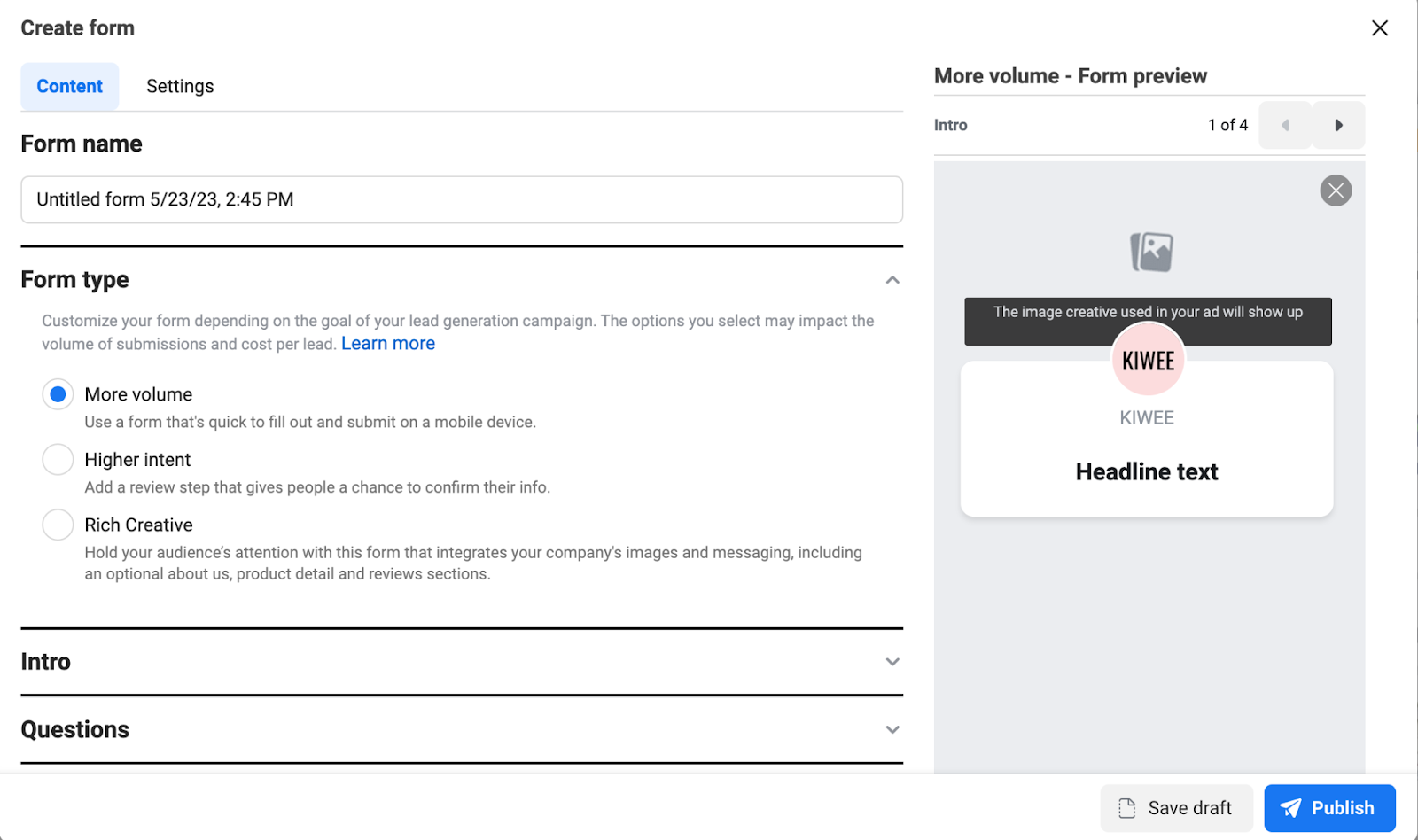
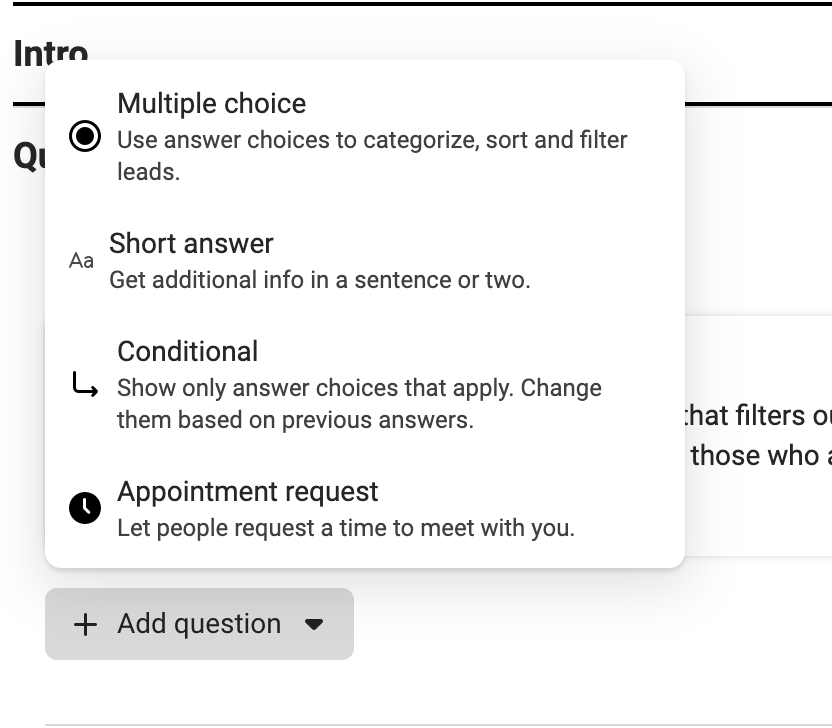
You can add as many questions as you want, dictating the flow that your customer will go on.
Keep in mind that instant forms can’t be edited, so make sure to add the date to the title so that you can continue duplicating and editing the form, knowing which version you’re using.
Notes on quality: Lead forms are great because they inherently have more friction to use, and that weeds out the lower intent users that you’d get with messenger conversations, for example.It’s best practice here to add as many relevant questions as possible. Don’t take it too far, though.
Landing page conversions
Sending your Facebook traffic to an external landing page to generate leads is (most of the time) going to give you the highest quality results. The cost-per-lead will be more expensive, though, but you’re more likely to get more business out of them.
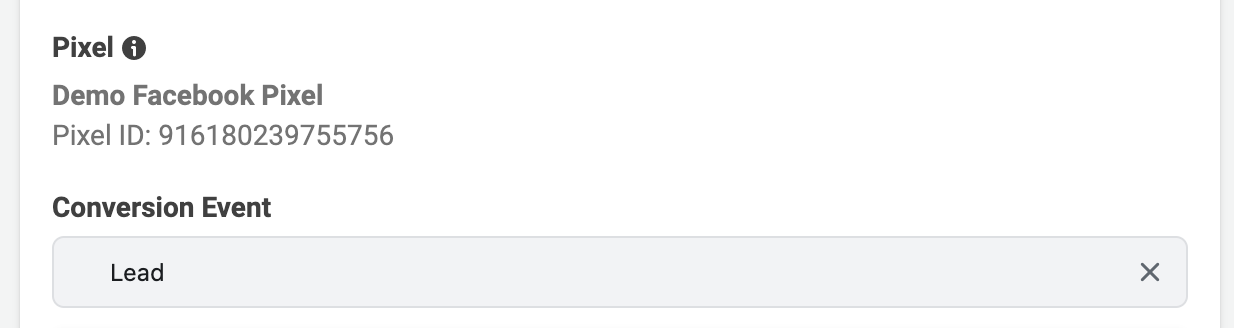
To set up website conversion leads, you have to choose “Website” under “conversion location.” Then, choose the conversion event. If you’re sending leads to fill out a form on your website, then this event will be “Lead.” You’ll have to set up pixel conversions to use this method.
That’s it! Once you’ve created your ads, you’re all set to send them to the landing page. Be sure to connect the form on your landing page to either a Google sheet (you can do this via Zapier) or a CRM.
High-quality leads: best practices
Although there’s a lot of testing involved in finding the audience and the method to generate the highest quality results for your business, there are some things you can do to ensure that your quality increases with every new lead.
Add more friction: A good rule of thumb is that the more hoops you force the lead to jump through, the higher the quality of your leads will be. There is a limit to how many hoops you can put your customers through, though. Don’t get too carried away with it.
Be willing to pay: It will be more expensive for higher-quality leads. I have personally seen messenger conversations at an average of $2 per message, where lead forms sit at $10 and website lead form submissions at $17 per lead.
Follow-up with leads: You’d be surprised how many businesses don’t go back to the leads that they gather. You have to follow up with them to close them. This way you can also create a separate list of high-quality leads (by gathering their emails). Then you can run that customer list as a Lookalike audience on Facebook, or a signal on Google.
Have more than one way to collect leads: A good rule of thumb is to have two ways for people to contact you. That usually means also having your phone number, whether it’s in the ad copy or in the ad creative itself, along with an email. Although this will mess with attribution, it’s worth giving the option to your potential customers.
Audience testing
Although audience testing it’s still a part of running ads, it’s not as big of a lever as it once was before the privacy policy changes. You’ve probably heard this many times before, but creative is going to be where you have the biggest swings on Facebook, even with lead generation campaigns.
But, here are a few audiences that you can test:
Broad audience: It’s best practice nowadays to always have an ad set dedicated to broad audiences. A broad audience is set up by choosing gender, age, and location, without any detailed targeting. It’s the most scalable audience type since Facebook optimizes it based on your creatives and based on those who are responding to your ads.
Stacked interests: Long gone are the days when each ad set gets a single interest. The best method now is to stack those interests into an ad set. Stack 10 to 15 interests that your target audience might be into. This gives Facebook a starting point.
Stacked lookalikes: Stacking different percentages of lookalikes (based on past converters) is another audience that often works well, given that you already have their data. In this case, use those qualified leads that made it past the initial round, and converted to your service or software. You would have to make a custom-match list to do this, especially if you have a high percentage of low-quality inbound.
Scaling your lead ads
Depending on your budget, I suggest testing out each method in different campaigns, with the same audience targeting, ad creatives, and budget. After a few weeks, you’ll have a solid understanding of which ad format provides you with the highest quality results, based on your key metrics. Then, continue scaling that campaign. At this point, you should carry on with more extensive creative and audience testing, and continue scaling and iterating on the winners.
That’s a wrap!
It can be daunting knowing where to start when gathering leads on Facebook, so these three ways should be a great starting point. Now go out there and test!



One Comment